Windows Monitoring with Zabbix
Zabbix Blog

Windows Monitoring with Zabbix


Summary

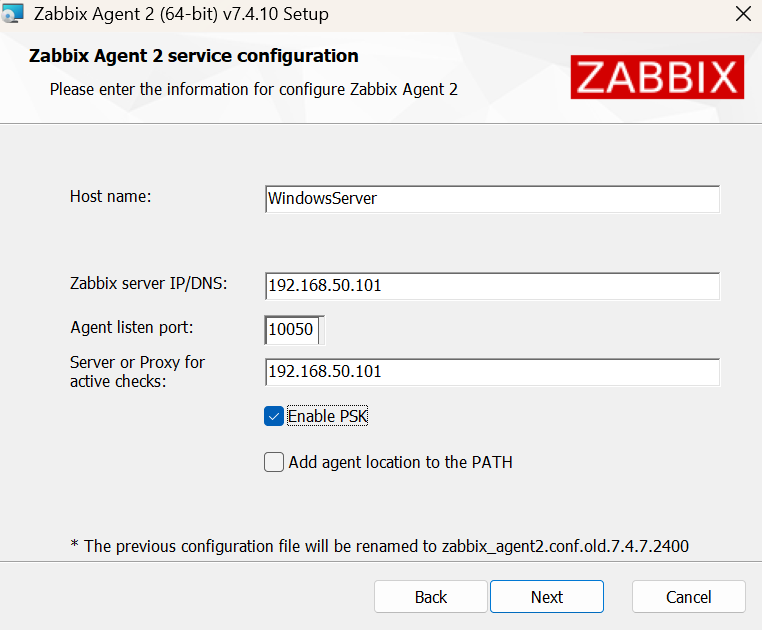
This article provides a technical guide on using Zabbix agents to monitor both operating system metrics and various applications within Windows environments. It details deployment methods via MSI packages or binaries and highlights advanced monitoring techniques using performance counters, WMI queries, event logs, and custom PowerShell scripts. Additionally, the author covers the use of official Zabbix templates for services such as MSSQL, IIS, and SharePoint to streamline the configuration process.
Read the Original Article

This article originally appeared on Zabbix Blog.

Read Full Article on Original Site

Related Articles

Saving Time with a Custom Zabbix Agent Installer

Rizqi Firmansyah • Dec 4, 2025 • 2 shared categories

Aruba Central API Monitoring with Zabbix

Tibor Volanszki • Nov 25, 2025 • 2 shared categories

Monitoring Website Changes with Zabbix Browser Item

Adi Rusmanto • Nov 11, 2025 • 2 shared categories

Monitoring a Starlink Dish with Zabbix

Alexander Petrov-Gavrilov • Oct 21, 2025 • 2 shared categories

Popular from Zabbix Blog

1
Port Monitoring with the Zabbix Widget Switch

Patrik Uytterhoeven • Mar 18, 2026 • 317 views

2
Aruba Central API Monitoring with Zabbix

Tibor Volanszki • Nov 25, 2025 • 218 views

3
Zabbix in 2025: A Year of Growth, Community, and Innovation

Michael Kammer • Jan 20, 2026 • 208 views

4
Monitoring Website Changes with Zabbix Browser Item

Adi Rusmanto • Nov 11, 2025 • 203 views

5
Modernizing Public Service Monitoring with Zabbix and Prodemge

Michael Kammer • Feb 25, 2026 • 200 views