Changing Default Database File Locations in SQL Server
Summary
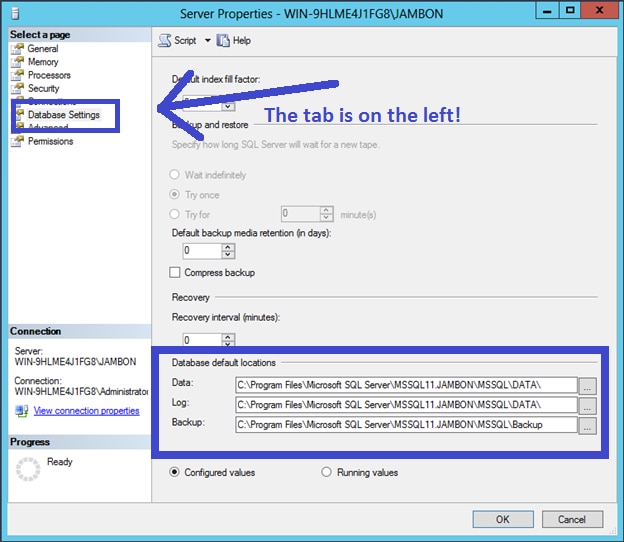
12/06/13 When you create a database in SQL Server and do not specify a file location for your data and log files, SQL Server will rely on the default locations as defined in the server properties. You can see these properties for yourself by right-clicking ... The post Changing Default Database File Locations in SQL Server appeared first on SolarWinds Blog.
Read the Original Article
This article originally appeared on SolarWinds Blog.
Read Full Article on Original Site